Getting Started
with Murphy
You don't need to read this front to back. The most important part is the first section — add a few of your animals. Do that, and Murphy stops feeling empty and starts feeling like your collection. Everything else you can come back to.
Murphy works fully offline and lives on your device. Nothing here needs a signal, a login, or the cloud to work.
First — put Murphy on your Home Screen
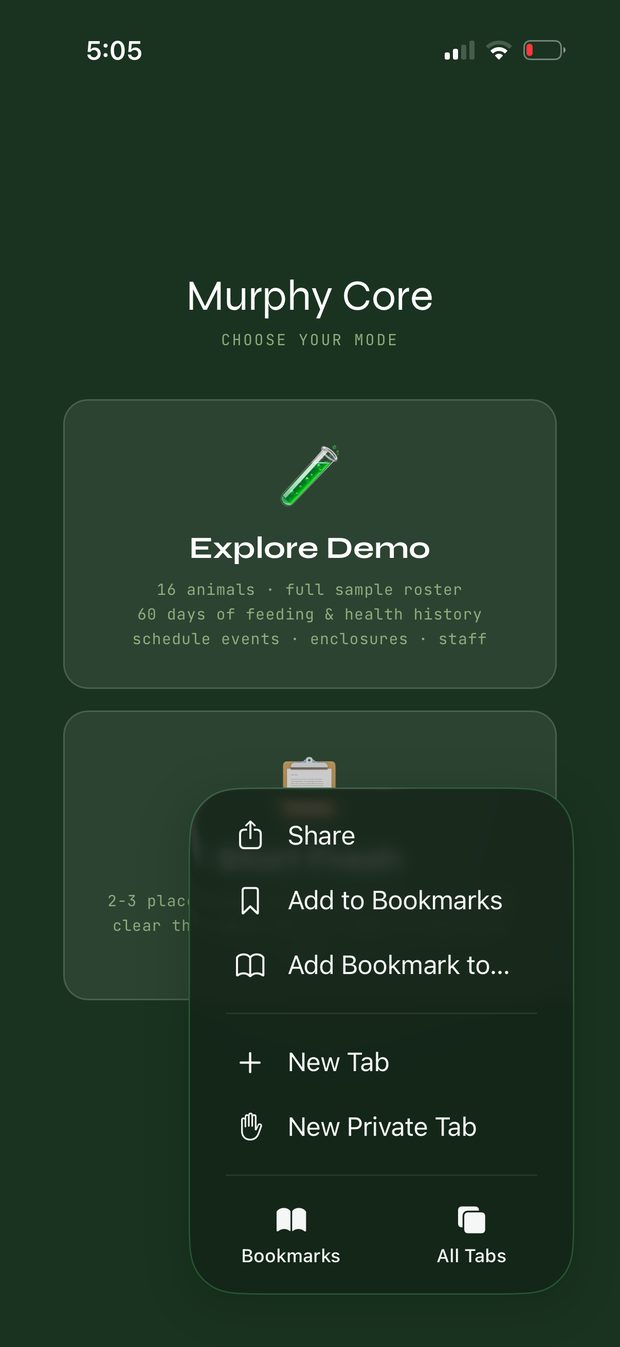
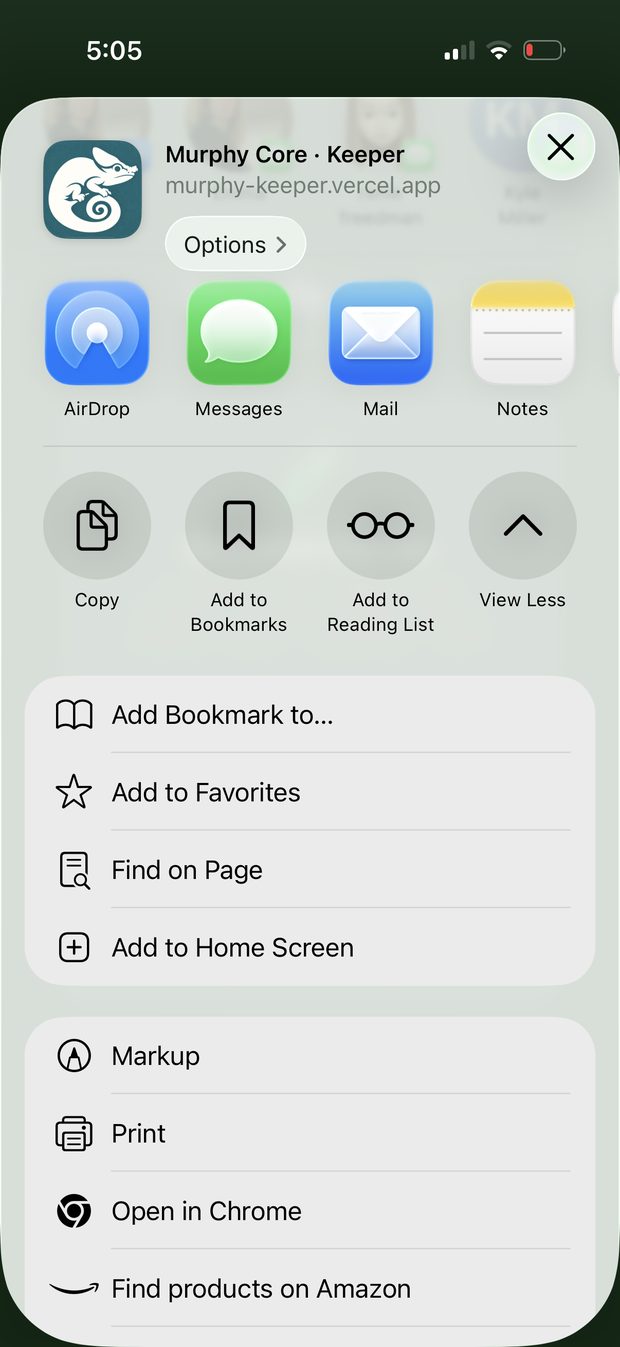
Murphy runs in your browser, but you don't want to dig up a link every morning. Add it to your Home Screen once and it opens like any other app — its own icon, full screen, no address bar.
Open Murphy in your browser, tap the Share button, and choose Add to Home Screen. That's it. From then on you just tap the chameleon icon. It still works fully offline once it's there.
Do this before you enter any animals. Murphy only saves your records once it's running from the Home Screen — anything you add in the plain browser tab beforehand won't stick. Install it first, open it from the icon, then start adding. If you want a safety net beyond the device, set up Backup or sign in to sync (section 7).
How Murphy is laid out
When you open Murphy you land on Home — a dashboard with four cards:
- Animals — your collection, and where you add and open each animal.
- Enclosures — your habitats, with their temperature / humidity targets.
- Keeper — your schedule, rotations, daily rhythm, and reports.
- Collection Window — the one that tells you what needs attention right now.
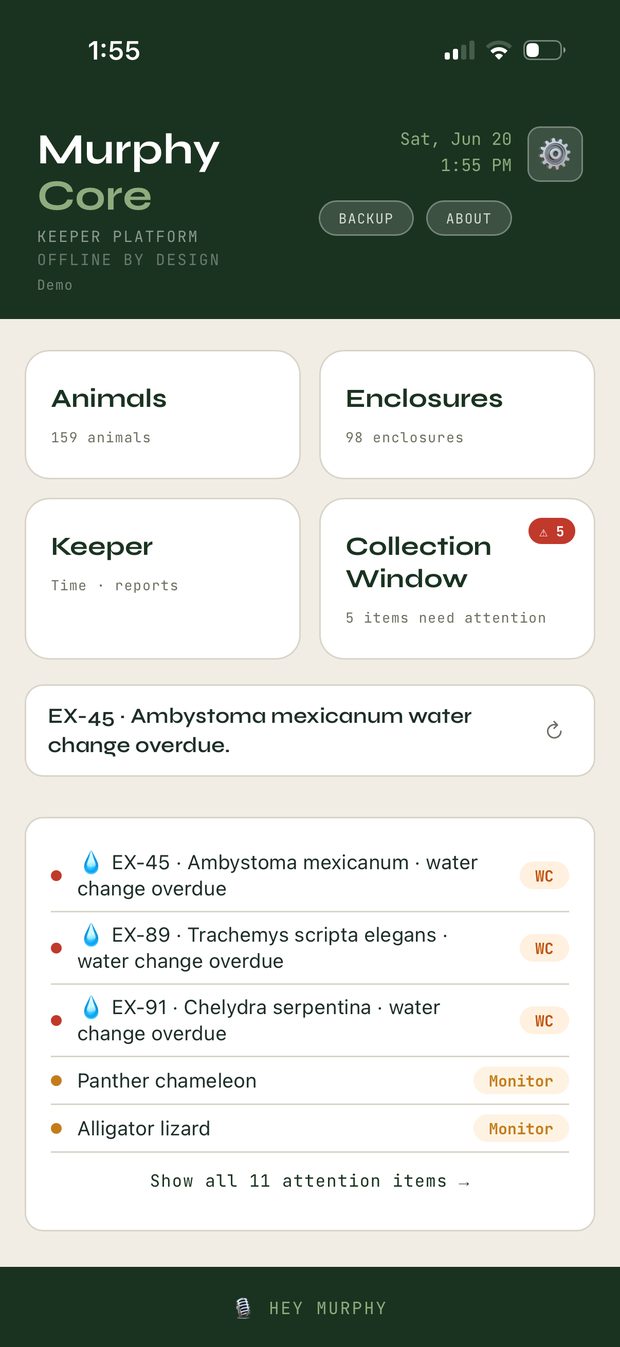
Tap a card to go into it; the back arrow (← Home) always returns you here. That's the whole map. Everything below lives inside one of those four.
Add your first animal
This is the whole thing. Murphy is quiet until your animals are in it, and an empty Murphy is hard to judge. A few minutes here changes that.
- From Home, tap Animals.
- Tap + Add (top right).
- Fill in what you've got — only a couple of fields matter to start:
- Common Name — e.g. Northern pine snake, Cornsnake.
- Nickname — what you actually call this one (optional).
- Species — start typing the common or scientific name and Murphy suggests the taxonomy. Pick it and the scientific name fills in for you.
- Save. That's one animal in.
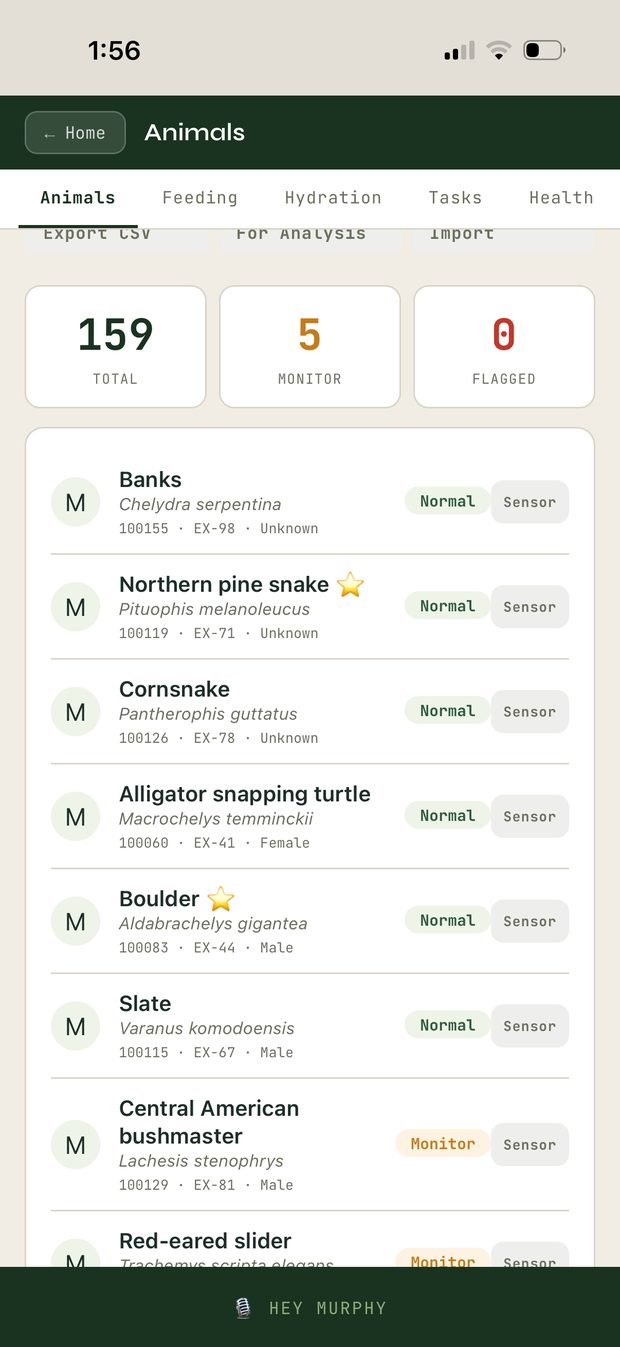
Now do it a few more times. Don't overthink the fields — everything in Murphy is editable later. The goal right now is just to get past empty, so the app has your real animals to work with.
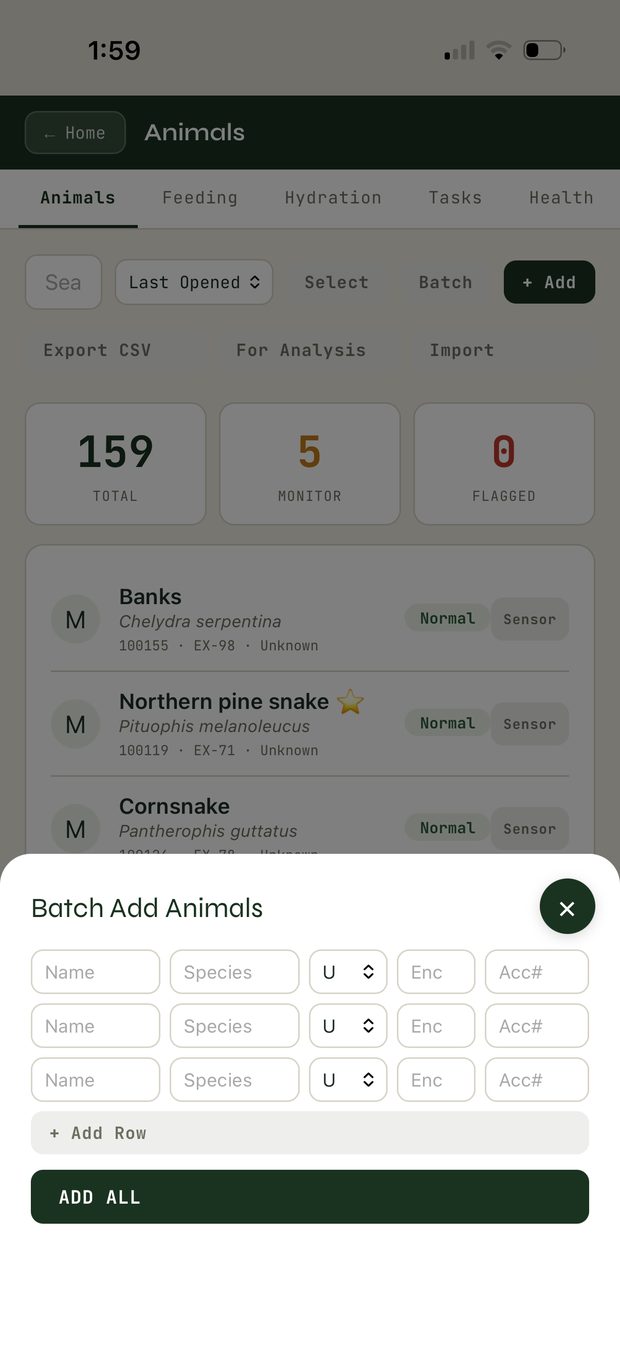
The Animals screen has Batch (enter several at once — name, species, sex, enclosure, accession), and Import for coming from ZIMS — see section 6.
The Collection Window
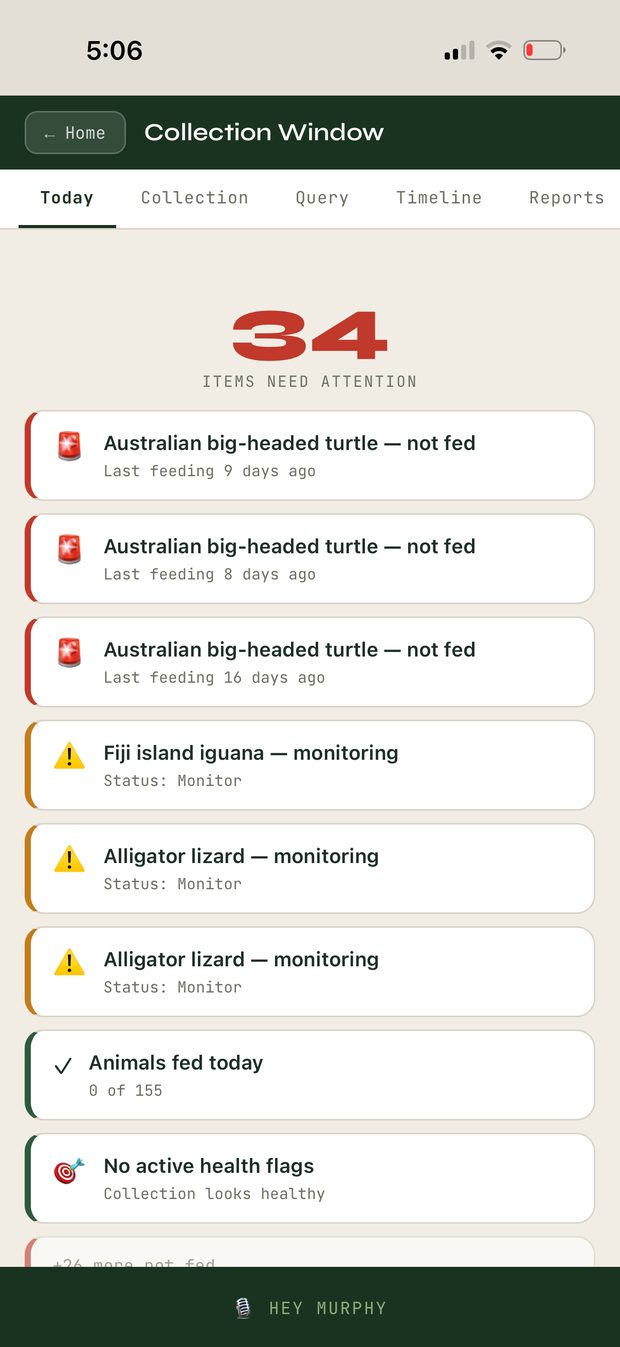
Back on Home, tap Collection Window. The Today tab is your attention surface — it counts what needs you and lists it in plain language: water changes overdue, animals flagged to monitor, and so on. Each item tells you the enclosure and what's due. Tap any item and it takes you straight there.
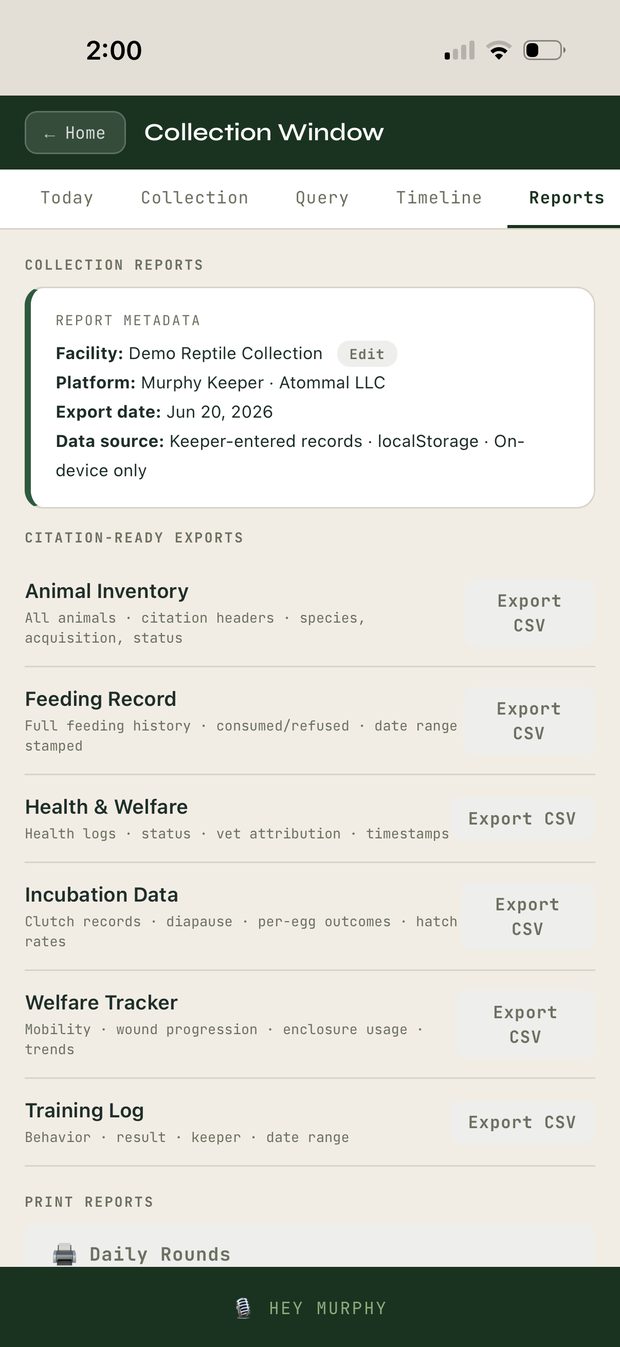
The other tabs here — Collection, Query, Timeline, Reports — let you slice your whole collection and pull citation-ready exports (every export carries a metadata header: facility, platform, export date, and that the data is on-device only).
It's built for the first-coffee moment: open Murphy, see what needs doing, go.
Everything about an animal, together
From Animals, tap any animal to open its record. Across the top are tabs — each one a part of that animal's life Murphy keeps:
- Info — status, body condition, welfare score, the basics, provenance.
- Feeding — log feeds, multiple items, amounts, percentage taken.
- Hydration — soaks, misting, water.
- Health — weights, meds, body map, notes.
- Enrichment & Training — sessions and progress.
- Ambassador, Stereotypy, Welfare, Score — behavioral and program tracking, with the welfare floor built in. Score opens a 0–100 specimen rubric (50% body, 30% distinctive traits, 20% quality / finish) for show prep or program selection — and body condition is weighted as the welfare floor, so an animal can't score well on looks while its welfare lags.
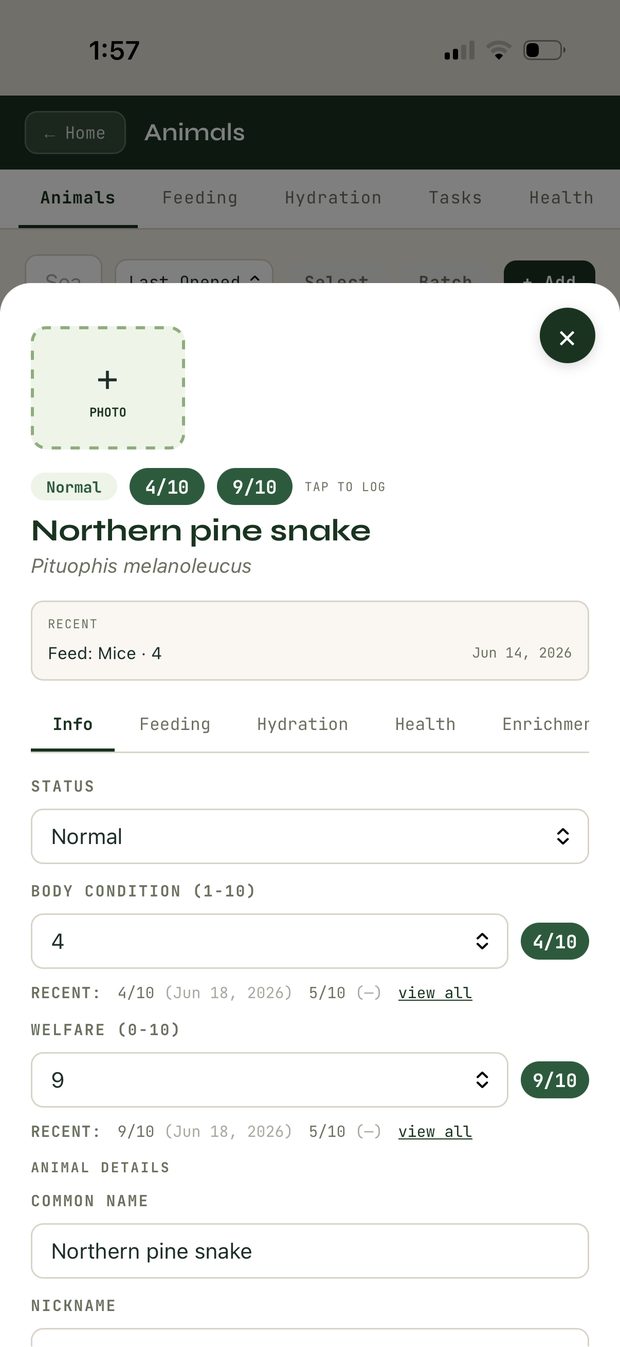
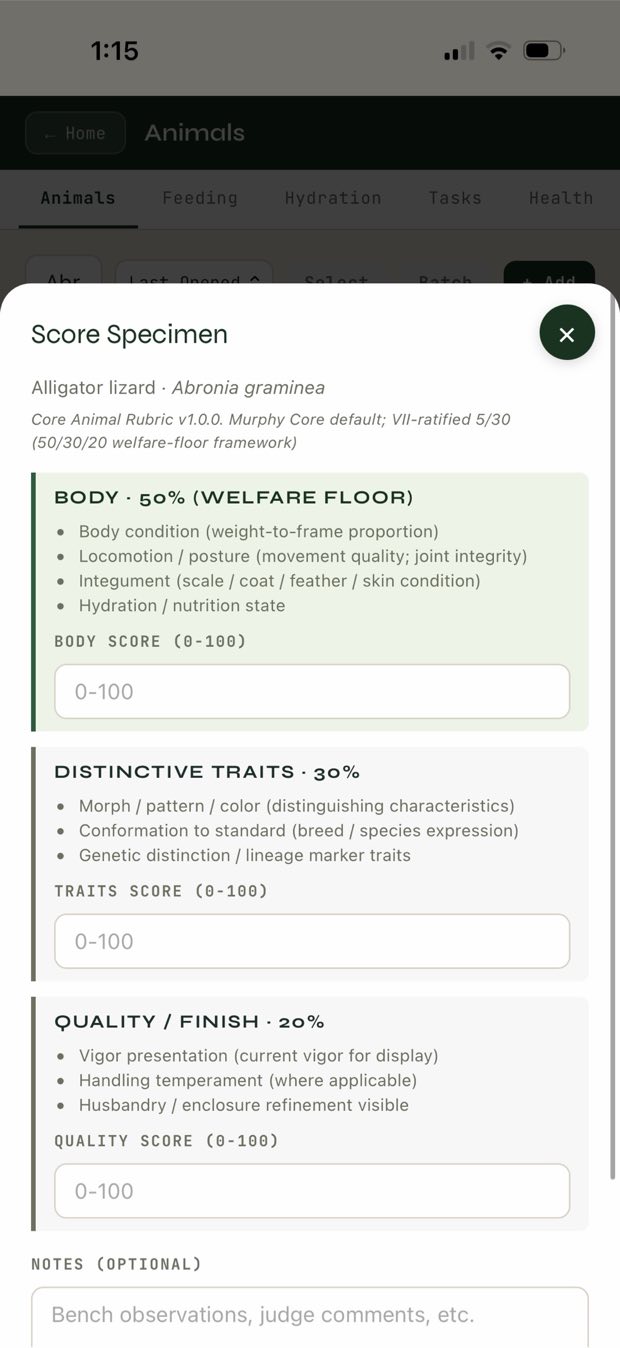
You don't have to use all of them — use the ones that match how you keep. The point is that everything about one animal lives in one place instead of scattered across notebooks and tabs. The little chips at the top of the record (body condition, welfare) give you the at-a-glance read.
The Breeding tab
Inside the Animals view, the Breeding tab is where Murphy goes deep.
- Set up a pairing and track it as a real event.
- Log a clutch (or a litter, for live-bearers) and follow it through to outcomes.
- Register hatchlings / offspring — Murphy runs the F-generation math and the sire/dam inheritance for you.
- Walk multi-generation lineage — the pedigree, built as you go.
- Not sure who the mother is in a group situation? Parentage confidence lets you record candidate dams and how sure you are, instead of forcing a false certainty.
If breeding is your daily work, start here and let the rest of Murphy fill in around it.
Keeper
From Home, tap Keeper. Five tabs:
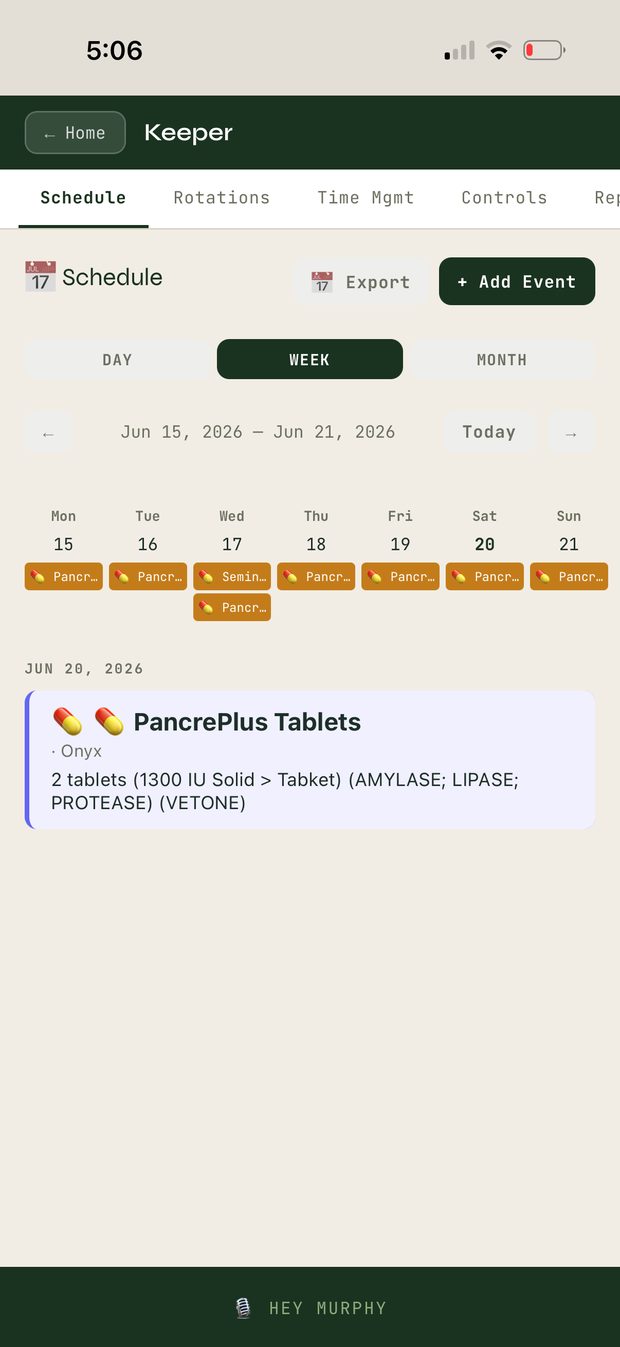
- Schedule — day / week / month calendar of events and med doses. Add events, step through the week, export.
- Rotations — recurring jobs across many animals at once. If you run anything on a cycle (feed days, cleaning, weights, a wall chart of "who gets what when"), this turns that chart into software: name it, set the action and days, add the animals, and Run it when you do the work — Murphy logs it across the whole group. Rotations sync across your signed-in devices, so a rotation you build on one phone is there on the next.
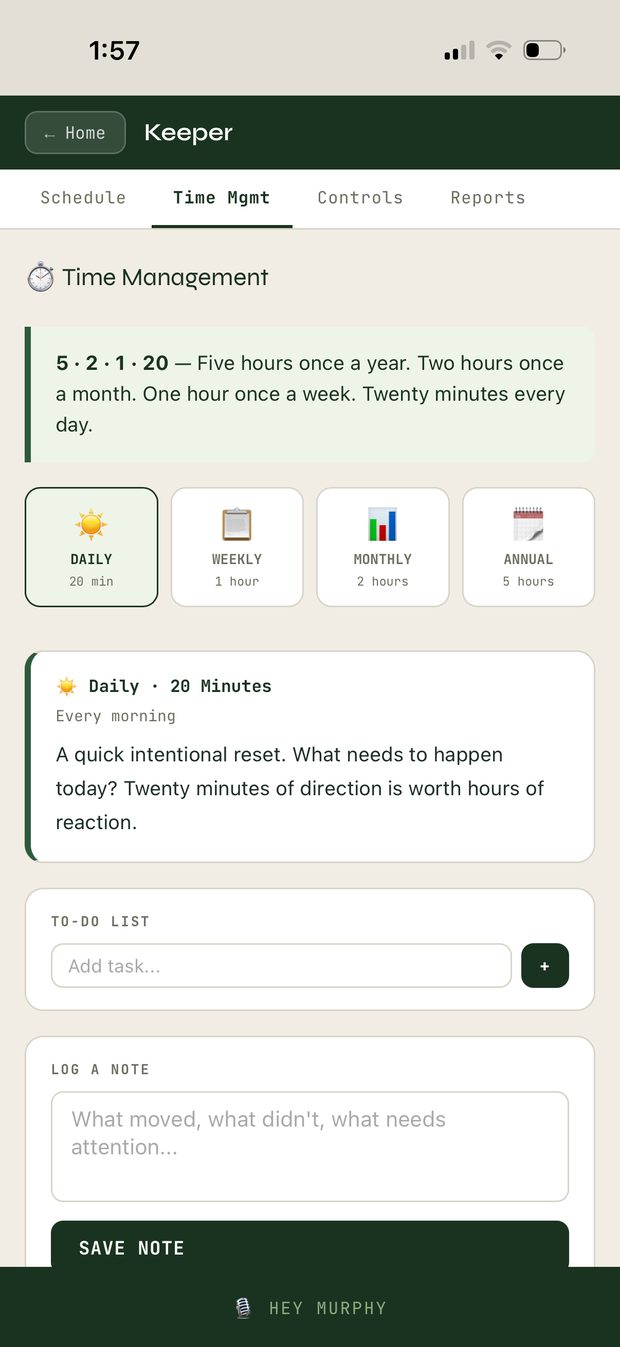
- Time Mgmt — the 5·2·1·20 rhythm (daily / weekly / monthly / annual), a to-do list, and a place to log a quick note on what moved and what needs attention.
- Controls & Reports — see section 6.
Reports, exports & coming from ZIMS
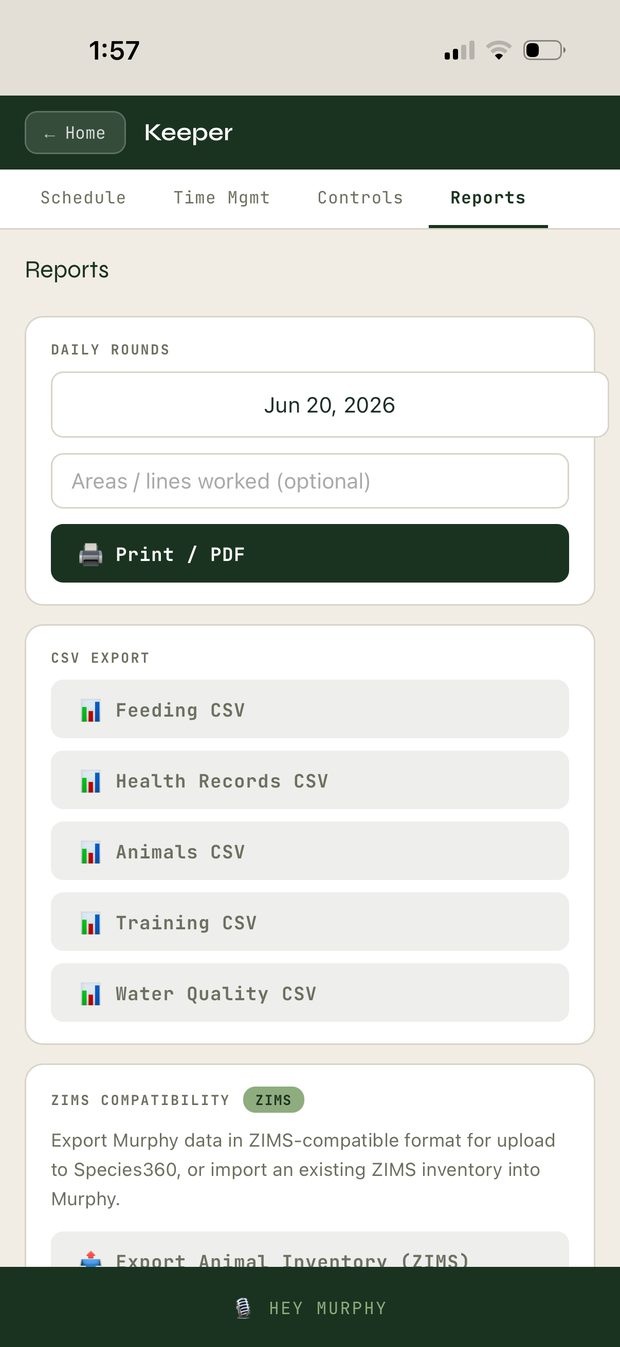
In Keeper › Reports you can pull your records out whenever you want:
- Daily Rounds — a dated Print / PDF of the day's rounds.
- CSV exports — Feeding, Health Records, Animals, Training, Water Quality.
- ZIMS compatibility — export your Murphy data in a ZIMS-compatible format for Species360, or import an existing ZIMS inventory straight into Murphy so you don't retype your collection. (Pull a Specimen Report; Murphy will tell you if it's the wrong file.)
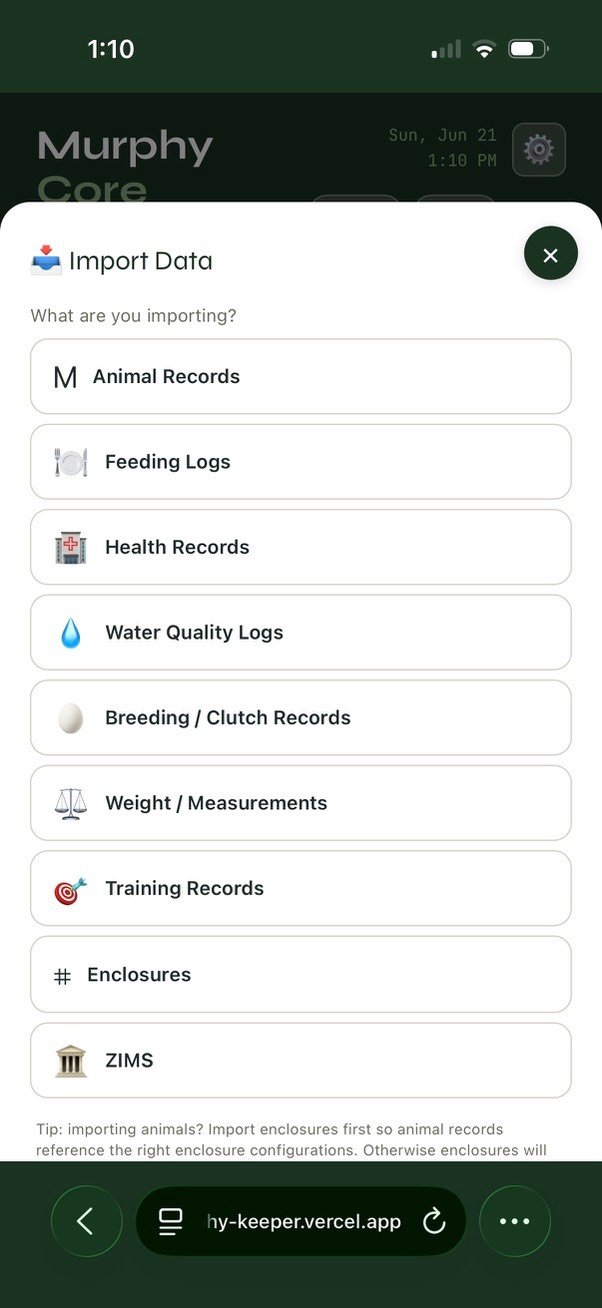
The Import wizard. From the gear menu › Import, Murphy walks you through what you're bringing in — animal records, feeding logs, health records, water quality, breeding / clutch records, weights, training, enclosures, or ZIMS. Pick a type and it guides you from there. One bit of order matters: if you're importing animals, import your enclosures first, so each animal record lands against the right enclosure instead of an empty one.
Coming from a spreadsheet instead? Use Batch on the Animals screen, or rebuild the worst tab of your spreadsheet as proper animal records and leave the spreadsheet behind.
Keeping your records safe
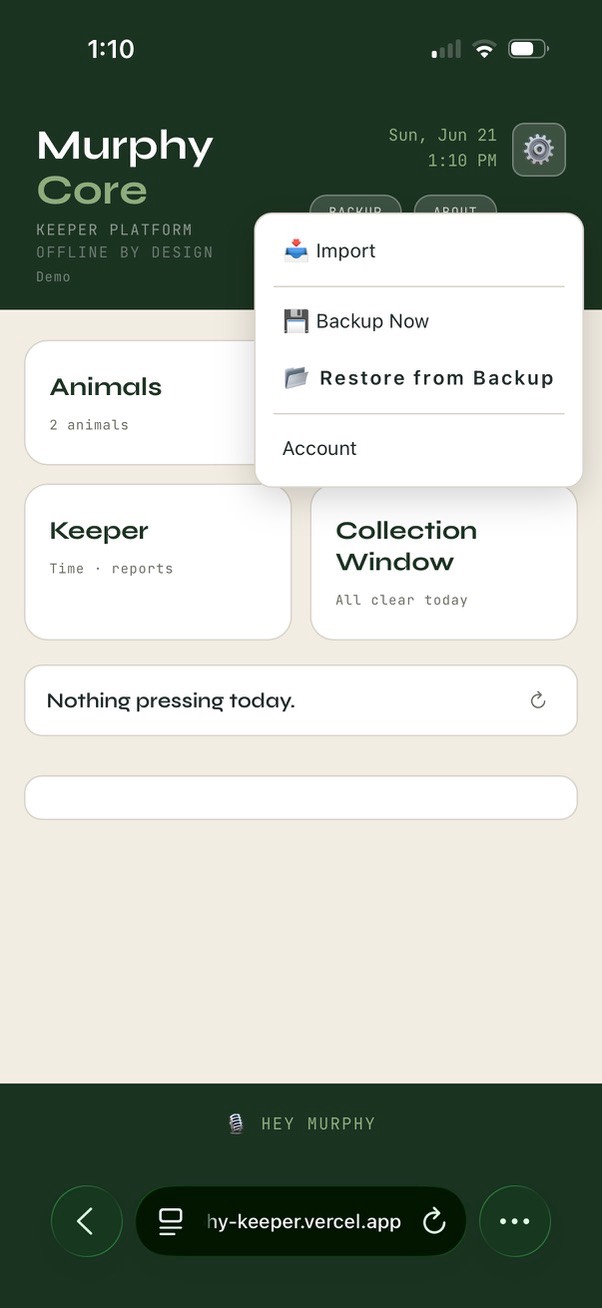
Everything you've done so far is free and lives on your device. From the gear menu in the top corner you'll find Backup Now and Restore from Backup any time — your records are always yours to save out.
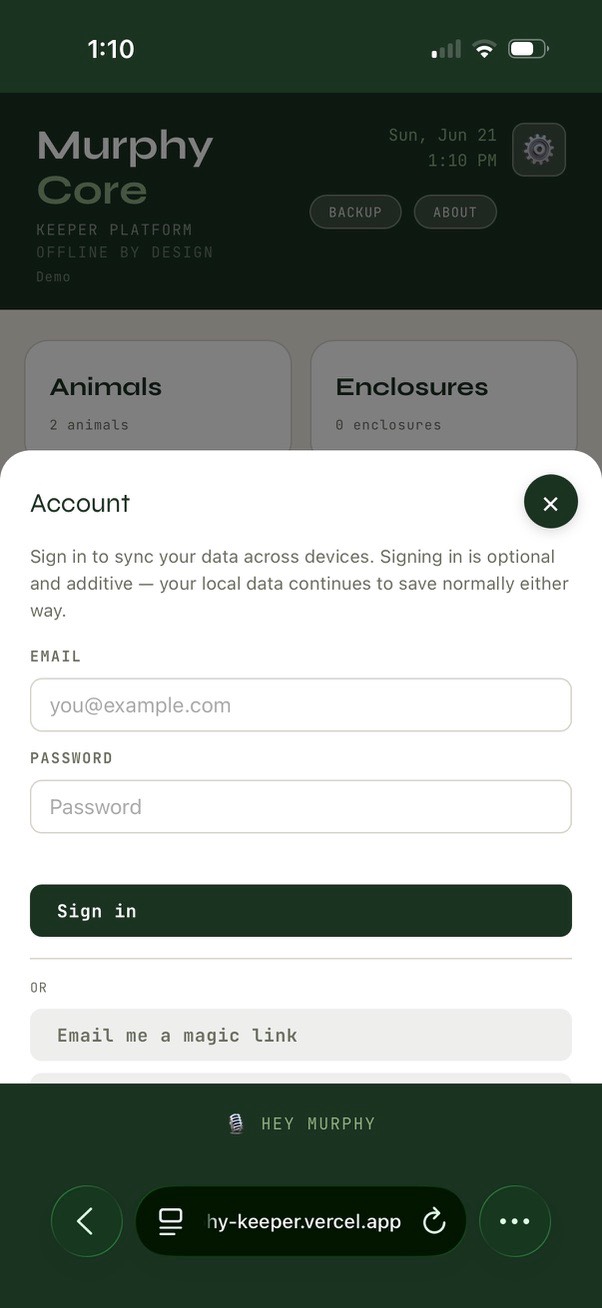
If you want them backed up and synced automatically so they survive a lost or replaced phone, Account lets you sign in and turn on a synced account (Keep It Safe) — with a password or a magic link by email. Signing in is optional and additive: your local data keeps saving either way, and syncing only adds an off-device copy. When sync is on, the header shows the state — signed in, syncing, caught up — so you always know your records are current.
Free Murphy is fully yours and fully offline — syncing is only about durability across devices, not about unlocking the core work. Set it up if and when you want the safety net.
A few things that are true
Murphy's in beta — some things are live and solid, some are still coming. What's in this guide is the live part: your animals, breeding, rotations, schedule, records, scoring, ZIMS import/export. A couple of bigger features (spatial mapping, report assemblers) are on the roadmap and aren't switched on yet — Murphy won't show you something as working that isn't.
If something doesn't behave, it's not you — it's beta. Tell Adam; that feedback is the whole reason you're an early tester.
Put a handful of your animals in.
Open Murphy, tap Animals, add a few, and let it stop feeling empty. Everything else in this guide will make sense once your own collection is looking back at you.